To finish setting up betterbunch, you need to connect the Google Business Profile (GBP) you want customers to review. This connection allows Betterbunch to send happy customers to the right GBP, show your GBP performance in the dashboard, and let you reply to Google reviews using the AI Responder.
To connect your GBP to betterbunch, follow the prompts to connect Google using the email that manages the profile.
If you aren't sure which email has access, the easiest place to start is in betterbunch.
Click here to open Google (1 minute 15 seconds)
Step 1: Check if Your Email Manages the Google Business Profile
- Login to betterbunch.
- Click Connect with Google.
- Sign in with the email address you think manages your GBP.
- Follow the steps on the screen to share access with betterbunch. Be sure to tick permission to access checkbox.
-
If your business appears, select it and click Continue to finish the connection.
-
If your business does not appear, the Google account you used may not have access to manage that profile.
Step 2: Try Any Other Google Emails You Have Access To
If the first email doesn't work, click Try another account and repeat the connection process using any other emails that may be connected to the business.
Common emails to try include:
- your main business email
- an office@ or admin@ email
- the business owner’s email
- an old Gmail email address
- a previous staff member’s email, if you still have access
- an agency, website, or marketing email used to set up the profile
Step 3: Request Access or Claim the GBP through Google
If none of your emails have access to your GBP, you may need to request access or claim the profile through Google.
- If you are not signed into Google, sign in following the prompts on the screen.
-
Search for your business using the exact name shown on Google.
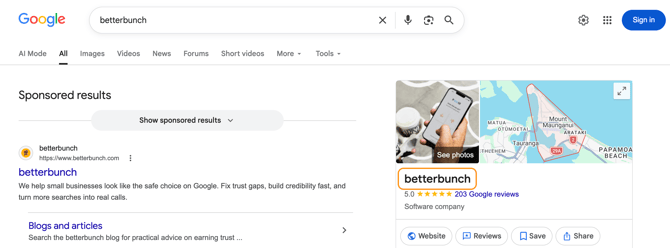
If You See "Manage Now"
Click Manage now and follow Google’s prompts.
Google may ask you to verify that you are authorised to manage the business. This could be done by phone, email, video, or another verification method.
If You See "Request Access"
Click Request access and complete Google’s form.
Google will send your request to the current profile owner. The current owner has 3 days to respond.
If they approve your request, you will get access to the profile. If they do not respond, Google may give you the option to verify the business and claim access yourself.
If Your Business Does Not Appear in the Dropdown
First, check that you are searching for the business name exactly as it appears on Google. If your business still does not appear, try searching for:
- your business name and suburb
- your business phone number
- your website
- the business name shown on Google Maps
If you still can't find the correct profile, contact betterbunch support using the chatbot in the bottom right of your screen for help.
Can I use betterbunch without full Google Business Profile access?
If you do not have access to manage the GBP, you may still be able to connect your Review Site setting only.
This lets betterbunch send happy customers to the correct Google Business Profile to leave reviews, but it will not give you the same dashboard and review-management features as a full Google connection.
To connect your Review Site only, contact betterbunch support using the chatbot in the bottom right of your screen.
Need A Hand?
Google Business Profiles can be tricky, especially if an old staff member, agency, or unknown email address owns the profile.
If you get stuck, ask the Support Bot in the bottom corner of your screen to connect you with our team. We can help you work out the best next step